Need a simple phone message template for business use? These free Excel templates can be printed and used as message slips when someone receives a call, visitor, or appointment request on behalf of another person.
Even when most communication is done by email or chat, phone messages are still useful in offices. A short written note helps avoid small mistakes, such as forgetting who called, what they wanted, or whether a callback is needed.
When working with Japanese companies, phone messages are often handled carefully, especially when the person in charge is away from the desk. The caller’s company name, department, name, phone number, and requested action are important. If one of these is missing, the person who receives the note may need to ask around later. That small back-and-forth is surprisingly annoying.
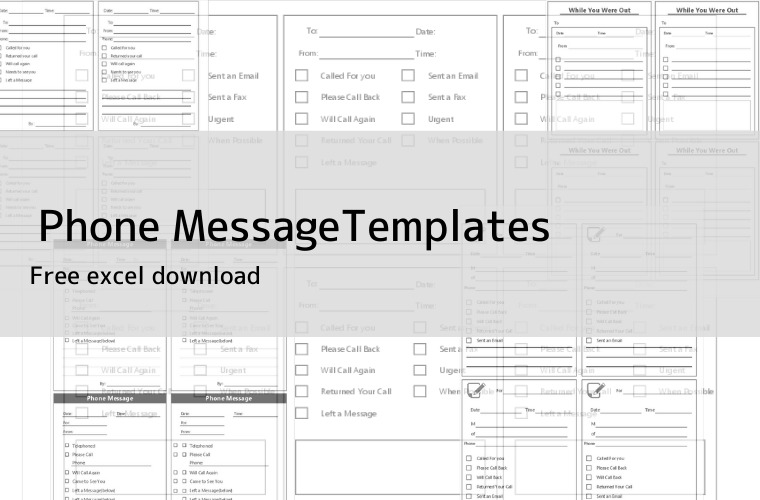
You can download 10 free phone message templates for Excel below. Most designs are simple for business use, and a few include small icons or design accents.
Free Phone Message Templates for Excel
These phone message templates can be used for phone calls, visitors, appointment requests, and “while you were out” notes. The main difference between a phone message and a while-you-were-out note is that some templates include a check item for visitors.
All templates include an appointment or message area, so they can also be used for non-phone correspondence. For example, they are useful when a customer visits the office, someone leaves a message at the reception desk, or a colleague needs to pass on a quick note.
Click the thumbnail image to see a larger preview. Use the “Download” button below each image to go to the download page.
Letter Size 4-Split Phone Message Templates
These templates divide one letter-size sheet into four message slips. They are useful when you want enough writing space for each message while still printing several slips on one page.


Letter Size 6-Split Phone Message Templates
These templates divide one letter-size sheet into six message slips. They are useful when you want to print many small slips and keep them near the phone, reception desk, or shared office counter.
The writing space is smaller than the 4-split type, so they are best for short messages, such as “please call back,” “called while you were out,” or “visitor came by.”


What to Include in a Phone Message
A phone message should be short, but it needs enough detail for the recipient to act without asking again.
The basic items are the caller’s company name, caller’s name, phone number, date and time, message content, and whether a callback is needed. If the call is related to an appointment, delivery, payment, or urgent matter, write that clearly.
For Japanese business communication, company name and department name can be just as important as the person’s name. If you only write “Mr. Tanaka called,” it may not be enough, especially when there are several companies or contacts with the same name.
Tips for Using Phone Message Slips
Place printed message slips near the phone, reception area, or shared desk. It sounds simple, but it helps. When the paper is not nearby, people tend to write the message on a sticky note or random memo paper, and those are easy to lose.
A common mistake is writing only the message and forgetting the requested action. For example, “called about the invoice” is not very helpful by itself. Add a simple note such as “please call back,” “will call again,” or “no reply needed.” That one line makes the message much easier to handle.
If several people answer calls in your office, using the same template keeps the message format consistent. It also makes it easier for new staff to take calls without worrying too much about what to write.