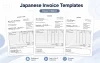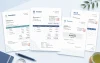
Download a free Japanese proforma invoice template for Excel. It is designed for overseas sales involving Japanese companies, especially when prices and shipment terms need to be confirmed before a final invoice is issued.
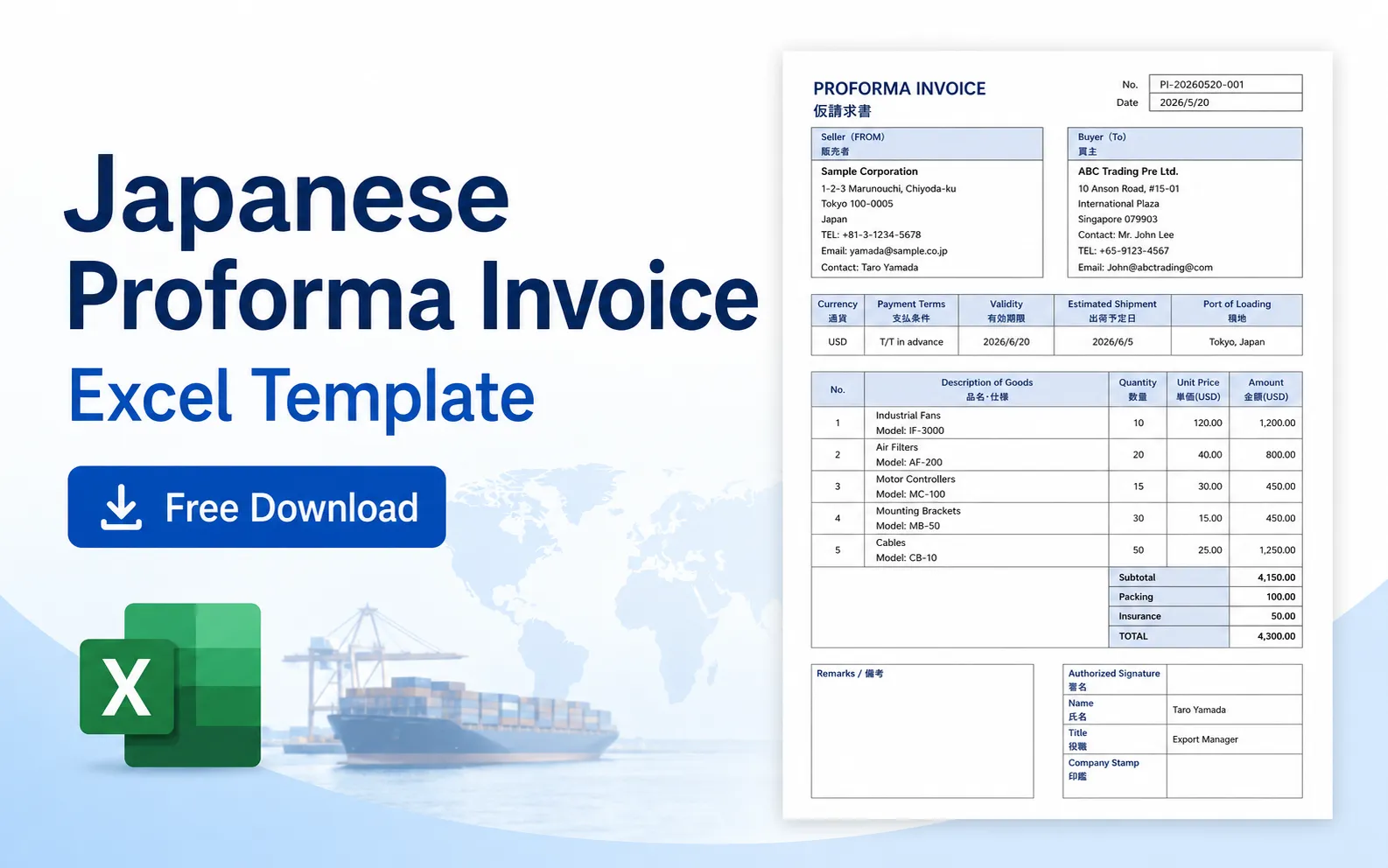
The template includes seller and buyer details, currency, payment terms, validity, estimated shipment, port of loading, product prices, packing charges, insurance, and an authorized signature section.
It is not a final commercial invoice. Think of it as a detailed proposal that both sides can check before the order, advance payment, or shipment moves forward.
Free Japanese Proforma Invoice Template
Japanese Proforma Invoice Template 01
Bilingual Excel template for export sales and advance payment

This Excel template is arranged for international transactions. Seller and buyer information appears at the top, while payment and shipment conditions are grouped in a separate row where they can be checked quickly.
The price section includes separate lines for packing and insurance. This is useful when the amount payable is not simply the total of the product prices.
When Is a Proforma Invoice Used?
A proforma invoice is normally issued before the final commercial invoice. It presents the seller’s proposed prices and conditions, but the details may still change before shipment.
It is often requested in the following situations:
- The buyer needs internal approval before placing an order
- Advance payment must be arranged
- The buyer needs a document for a bank or import application
- Product prices and shipment conditions need to be confirmed together
- The buyer wants to estimate customs duties or total landed cost
In a small export office, the quotation and proforma invoice can feel almost the same. The difference usually becomes clearer when the buyer says, “Please send a proforma invoice for payment.” At that point, a quotation alone may not be enough.
What Makes This Template Different?
This template does more than list products and prices. It places the main transaction conditions directly above the item table.
| Field | Purpose |
|---|---|
| Currency | Shows which currency applies to all unit prices and totals |
| Payment Terms | Explains how and when the buyer should pay |
| Validity | Sets a deadline for accepting the proposed price and conditions |
| Estimated Shipment | Shows the expected shipment date without treating it as guaranteed |
| Port of Loading | Identifies the port or airport from which the goods are expected to leave |
These fields are often scattered across emails. Putting them in one row makes the document easier for sales staff, accounting staff, and managers to review.
The template also has separate rows for packing and insurance. That is useful for export transactions, although freight is not included as a fixed row. You can replace an unused row or add “Freight” when shipping charges need to be shown separately.
Seller and Buyer Are the Recommended Labels
The template uses:
- Seller / 販売者
- Buyer / 買主
These labels are suitable for a proforma invoice because they describe the commercial roles of the two parties.
“From” and “Bill To” are common on ordinary invoices, but they focus more on who issued the document and who receives the bill. In an international transaction, the buyer, billing recipient, importer, and delivery destination may all be different.
| Label | Meaning | Best used for |
|---|---|---|
| Seller | The party selling the goods | Proforma and commercial invoices |
| Buyer | The party purchasing the goods | Proforma and commercial invoices |
| Bill To | The party responsible for payment | Final invoices |
| Ship To | The delivery destination | Invoices and shipping documents |
| Importer | The party importing the goods | Customs and trade documents |
For a general-purpose template, Seller and Buyer are safer than Seller / Exporter and Buyer / Importer. The buyer is not always the importer.
How to Write Payment Terms
Payment terms should show both the payment method and the timing. Writing only “T/T” is too vague because it does not explain when payment is due.
| Example | Meaning |
|---|---|
| 100% T/T in advance | The full amount is paid by bank transfer before shipment |
| 50% T/T in advance, 50% before shipment | Half is paid first and the remaining half before shipment |
| T/T within 30 days after invoice date | Payment is due within 30 days of the invoice date |
| Irrevocable L/C at sight | Payment is made by an irrevocable letter of credit payable at sight |
The sample uses “T/T in advance.” It is understandable, but “100% T/T in advance” is clearer when the full amount must be paid before shipment.
This is one place where confirmation emails tend to happen. Sales staff understand the intended condition, but the buyer’s accounting department may ask whether the advance payment is 30%, 50%, or 100%.
Do Not Leave the Validity Field Blank
Validity shows how long the seller will keep the proposed price and conditions open.
Common examples are:
- Valid until June 20, 2026
- Valid for 30 days from the issue date
- This offer is valid for 14 days
A specific date is usually easier to check than “valid for one month.” This is particularly true when the document moves between offices in different countries.
The validity date matters when exchange rates, raw material prices, or freight charges are changing. Without it, an old proforma invoice may come back several months later with a request to use the same price.
Check the Currency in More Than One Place
This template shows the currency in the transaction row and again in the price headings.
For example:
- Currency: USD
- Unit Price (USD)
- Amount (USD)
When changing the currency to JPY, EUR, or SGD, update all three places. Changing the main currency field while leaving “USD” in the price table is an easy mistake to make.
A total such as “4,300.00” is not enough by itself. The currency should remain visible near the numbers, especially when the buyer handles several overseas suppliers.
Packing, Insurance, and Freight
The template includes separate lines for:
- Subtotal
- Packing
- Insurance
- Total
This makes the total easier to understand when packing and insurance are charged in addition to the product price.
If a charge is already included in the unit price, enter “Included,” enter 0.00, or remove the unnecessary row. Do not add the same cost twice.
Freight is not included as a fixed line in this version. When the seller pays or arranges freight, add a “Freight” row above the total and check that the Excel formula includes it.
| Charge | How to show it |
|---|---|
| Packing | Enter the cost when export packing is charged separately |
| Insurance | Enter the insurance cost when arranged by the seller |
| Freight | Add a separate row when transportation is part of the proposed amount |
| Included charges | Write “Included” or enter 0.00 to avoid double charging |
Should Incoterms Be Added?
For many international transactions, it is useful to add the agreed Incoterms rule, such as EXW, FOB, CIF, or DAP.
This template does not have a dedicated Incoterms field. You can add it to the remarks section or replace one of the transaction condition fields when necessary.
Examples:
- Incoterms: FOB Tokyo, Incoterms 2020
- Incoterms: CIF Singapore, Incoterms 2020
- Incoterms: DAP Buyer’s Warehouse, Incoterms 2020
Do not write only “FOB” or “CIF.” Add the named port or place. “FOB Tokyo” is much clearer than “FOB” by itself.
It is also worth checking that the Incoterms rule matches the packing, insurance, and freight charges shown in the total. This is where the document can become confusing if the price basis and cost rows say different things.
Should Bank Details Be Included?
Bank details may be needed when the proforma invoice is used for advance payment.
Typical information includes:
- Bank name
- Branch name
- Bank address
- Account name
- Account number
- SWIFT or BIC code
This template does not include a fixed bank information section. You can add the details in the remarks area or attach a separate payment instruction sheet.
For security, check bank details carefully before sending. Some companies also confirm bank information through a second communication method, especially for a first transaction.
Proforma Invoice vs. Commercial Invoice
| Point | Proforma Invoice | Commercial Invoice |
|---|---|---|
| Purpose | Shows proposed prices and conditions | Shows the confirmed sale and shipment value |
| Timing | Before final shipment or billing | At shipment or final billing |
| Shipment date | May be estimated | Should reflect confirmed details |
| Amount | May still change | Should show the final transaction amount |
| Customs use | May support an application or estimate | Normally used for customs clearance |
Do not simply change the title from “Proforma Invoice” to “Commercial Invoice” and send the same file.
Before issuing the commercial invoice, check the final quantity, shipment date, packing cost, freight, insurance, Incoterms, and consignee information. Some details look settled at the proforma stage but change once the goods are actually packed.
How to Complete the Excel Template
- Enter the proforma invoice number and issue date.
- Replace the sample seller information with the official company details.
- Enter the buyer’s legal company name and address.
- Select the transaction currency.
- Write the payment method and payment timing.
- Set a clear validity date.
- Enter the estimated shipment date and port of loading.
- Add the product name, model number, quantity, and unit price.
- Check the amount calculated for each line.
- Add packing and insurance costs when applicable.
- Add freight or Incoterms information if needed.
- Check the subtotal and total amount.
- Add bank details or special conditions in the remarks area.
- Complete the signature section when required.
- Save the completed document as a PDF before sending it.
Before exporting the PDF, open Excel’s print preview. The form is designed to fit on one page, but added product rows or long addresses can push the signature area onto a second page.
Japanese Business Points to Keep in Mind
A proforma invoice sent to a Japanese company may be checked by several people. Sales staff look at the products and shipment date, accounting checks the currency and payment terms, and a manager may approve the final amount.
That is why specific wording helps. “Estimated Shipment: June 5, 2026” is clearer than “Shipment: June,” and “100% T/T in advance” is better than just “T/T.”
Use the buyer’s official company name rather than a shortened brand name. Japanese companies often register suppliers and overseas payments using the full legal name, so even a small difference can trigger an internal confirmation.
The company stamp area is included because it remains familiar in Japanese office procedures. It can be left blank when the seller or buyer does not require a stamp.
Common Problems Before Sending
- The currency field says USD, but the price headings still say JPY
- The payment terms show a method but no payment timing
- The validity date has been left blank
- An estimated shipment date is presented as a guaranteed date
- Packing or insurance is included in the unit price and added again below
- Freight is included in the total but not explained
- The Incoterms rule does not match the listed charges
- The buyer’s official company name is shortened
- The product description does not include the model or part number
- The final PDF is split across two pages
The area where I would slow down is the total section. It takes only a minute to compare the subtotal, packing, insurance, freight, and final total, but correcting it after the buyer has started an overseas payment is much more troublesome.
FAQ
Is a proforma invoice a final request for payment?
Usually, no. It is a preliminary document showing proposed prices and conditions. However, buyers often use it to arrange advance payment.
Can a proforma invoice be used for customs clearance?
It may be accepted for limited purposes such as an estimate, application, or non-commercial shipment. A commercial invoice is normally required for the final customs declaration.
Should I write Seller and Buyer or From and Bill To?
Seller and Buyer are recommended for this template because they clearly identify the commercial parties. Bill To is more common on a final billing invoice.
Should Incoterms be included?
Include the Incoterms rule when it forms part of the price and shipping agreement. Add the named port or place and the applicable version, such as “FOB Tokyo, Incoterms 2020.”
Can I add bank account information?
Yes. Add it to the remarks area or attach a separate payment instruction sheet. Check all bank details carefully before sending.
What should I write in the validity field?
Enter the date until which the proposed price and terms remain valid. A specific date is usually clearer than a general period.
Can I add a freight charge?
Yes. Add a “Freight” row above the total and confirm that the total formula includes the new row.
Is a company stamp required?
Not always. The field can be left blank when neither party requires a stamp.
Related Resources
- Japanese Business Document Templates
- Japanese Quotation Template
- Japanese Purchase Order Template
- Japanese Invoice Template
- Japanese Packing List Template
Summary
This Japanese proforma invoice template is useful when prices, payment terms, and expected shipment details need to be confirmed before the final commercial invoice is issued.
Its main strength is the transaction condition row. Currency, payment terms, validity, estimated shipment, and port of loading can all be checked without searching through the remarks section.
Before sending the document, check the currency in every location, make the payment timing specific, set a validity date, and confirm whether packing, insurance, freight, and Incoterms are consistent. Those are the details most likely to bring the document back for correction.