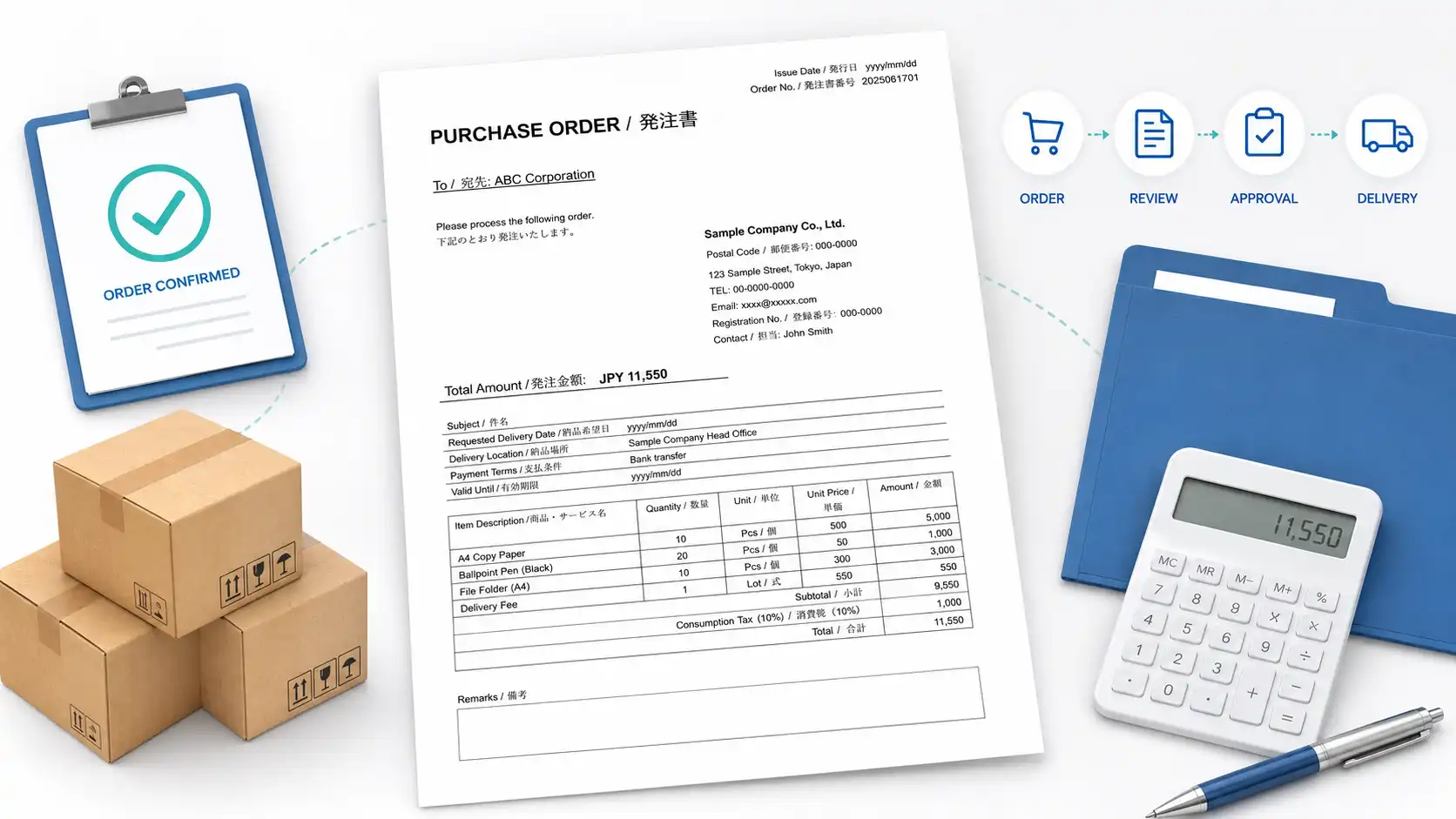
Download free Japanese purchase order templates in Excel and Word. They are designed for overseas companies, purchasing staff, and freelancers who need to place an order with a Japanese supplier or manufacturer.
Three formats are available: a basic purchase order, an Excel version with automatic 10% consumption tax calculation, and a bilingual English-Japanese template.
A purchase order is not only a list of products. It tells the supplier exactly what has been approved, where the goods should go, and which delivery and payment conditions apply. When those details are vague, the order often stops for confirmation.
Free Japanese Purchase Order Templates
Choose the format that matches your transaction. All templates can be edited and used for business orders.
Japanese Purchase Order Template 01
Basic purchase order with an optional tax field
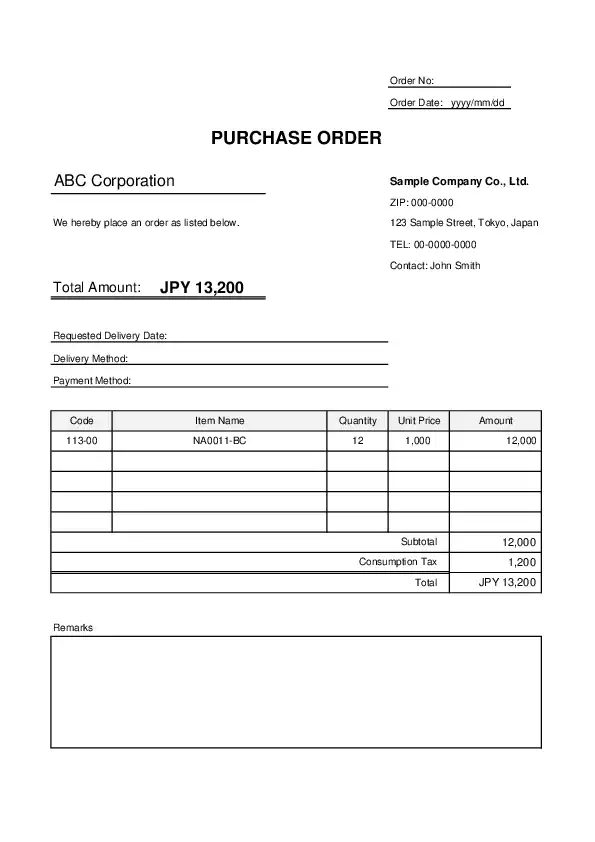
This is the simplest version. It includes supplier and purchaser information, subject, requested delivery date, delivery location, payment terms, item details, subtotal, tax, total, and remarks.
The tax field is not fixed. You can enter the tax manually, leave it blank, or write “N/A” when it does not apply.
Japanese Purchase Order Template 02 with Consumption Tax
Excel purchase order with automatic 10% tax calculation
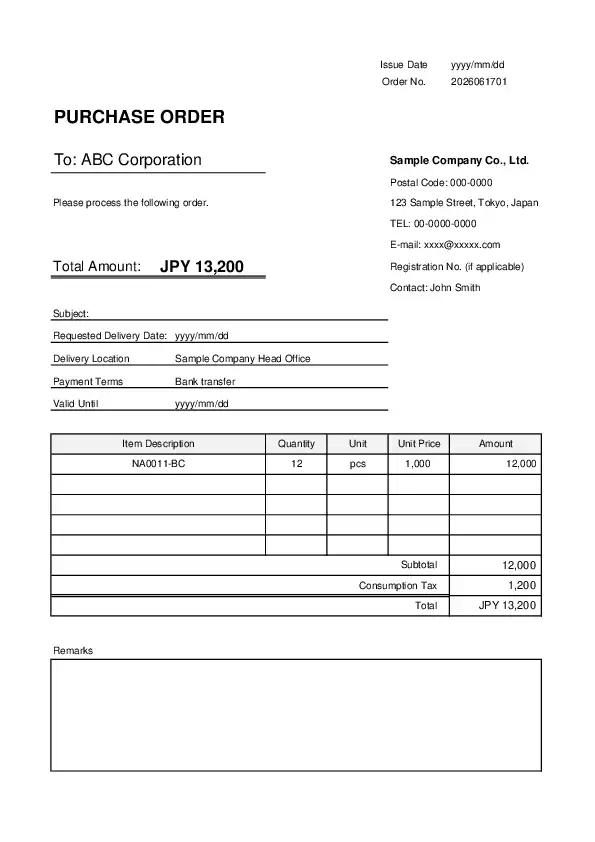
This Excel version automatically calculates 10% Japanese consumption tax and the final order total.
It is useful for domestic transactions in Japan where the supplier’s quotation already shows prices before tax and the purchase order should display subtotal, tax, and total separately.
Bilingual Japanese Purchase Order Template 03
English-Japanese purchase order with an optional tax field
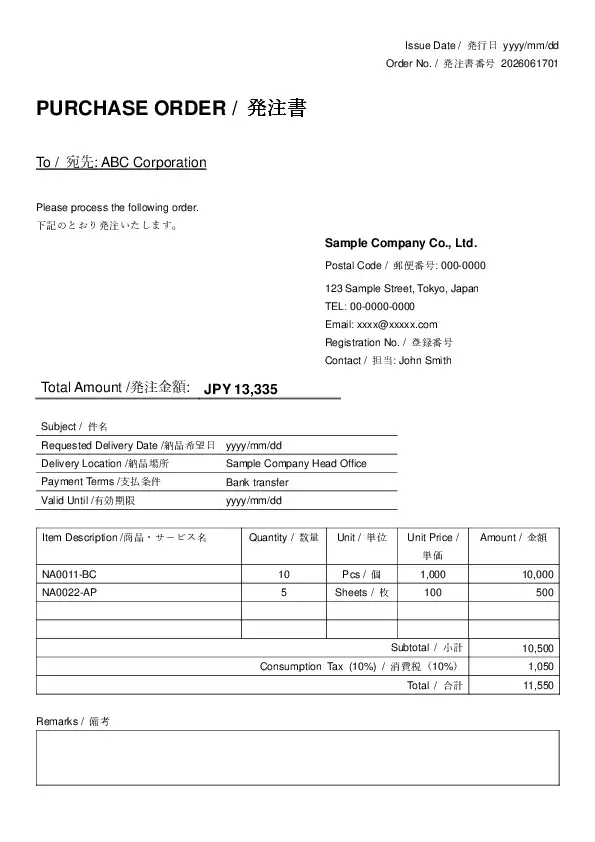
This format shows English and Japanese labels together, such as “Issue Date / 発行日” and “Requested Delivery Date / 納品希望日.”
It works well when overseas staff prepare the order and Japanese sales, accounting, or administrative staff check it.
Which Template Should You Use?
| Template | Best for | Tax | Format |
|---|---|---|---|
| Template 01 | General orders where tax can be entered manually | Optional | Excel / Word |
| Template 02 | Japanese domestic orders that require automatic 10% tax calculation | Automatic | Excel |
| Template 03 | Orders checked by both English and Japanese readers | Optional | Excel / Word |
Template 01 is the easiest place to start. It is flexible and does not force a specific tax treatment.
Template 02 is better when the supplier’s quotation clearly uses Japan’s standard 10% consumption tax. Template 03 is the most practical choice when several people on both sides will review the order.
What a Purchase Order Actually Confirms
A purchase order is sent by the buyer to confirm an order for goods or services. In Japanese, it is generally called a hatchusho or 発注書.
The supplier should be able to look at the document and understand five things without guessing:
- What is being ordered
- How many units are required
- Which quotation or agreement the order is based on
- Where the goods or services should be delivered
- When delivery is requested
Price and payment terms matter too, of course. Still, the point of the document is to give a clear order instruction.
If the supplier has to ask, “Which model do you mean?” or “Which warehouse should we use?”, the purchase order has not quite done its job.
If you need a Japanese-language format, see our Japanese purchase order templates.
Match the Purchase Order to the Supplier’s Quotation
The purchase order should normally match the supplier’s latest quotation.
Check the following before sending it:
| Check point | What to compare |
|---|---|
| Quotation number | Use the number from the latest approved quotation |
| Item code | Keep model numbers, part numbers, and product codes unchanged |
| Description | Use the same product or service description |
| Quantity | Confirm pack size, minimum order quantity, and number of units |
| Unit price | Check whether the quoted price is before or after tax |
| Delivery conditions | Confirm the requested date and delivery location |
| Payment terms | Do not replace the quoted terms without agreement |
A common mistake is copying an older quotation because the file name looks almost the same. This happens more often than you might expect when a supplier has sent two or three revised versions.
Keeping the quotation number in the subject or remarks section makes the order easier to trace later.
Requested Delivery Date vs. Confirmed Delivery Date
A purchase order is usually issued before the supplier confirms the final delivery schedule. That is why Requested Delivery Date is safer than simply writing Delivery Date.
| Wording | Meaning |
|---|---|
| Requested Delivery Date | The date the buyer would like to receive the order |
| Confirmed Delivery Date | The date accepted and confirmed by the supplier |
| Estimated Delivery Date | A provisional date that may still change |
For the buyer’s purchase order, “Requested Delivery Date” is normally the right choice.
This small distinction matters. Writing “Delivery Date: June 20” can sound as if the supplier has already agreed to that date, even when it is only the buyer’s request.
How to Write the Delivery Location
The delivery location should be specific enough for the supplier and carrier to identify the correct destination.
Short examples:
- Head Office
- Tokyo Branch
- Distribution Center
- Warehouse No. 2
- Project Site
For physical goods, a full address is safer:
| Sample Corporation, Tokyo Distribution Center 2-4-8 Ariake, Koto-ku, Tokyo 135-0063 Receiving Department, 2nd Floor |
“Tokyo Office” may be enough inside your own company, but it may not be enough for an outside supplier. Building name, floor, department, and receiving hours can save a delivery from going to the wrong desk.
Personally, this is the field I would not leave until the end. It is much easier to confirm the address before the order is sent than after the truck is already on its way.
Purchase Order Number Examples
A purchase order number helps the buyer, supplier, and accounting staff refer to the same transaction.
Simple formats include:
- PO-20260520-001
- PO-TOKYO-2026-015
- PO-SUPPLIER01-0058
- 2026-PO-0032
The format does not need to be complicated. It only needs to be unique and easy to search.
| Number element | Example use |
|---|---|
| PO | Identifies the document as a purchase order |
| Date or year | Helps staff locate orders by period |
| Department code | Useful when several departments place orders |
| Sequential number | Prevents two orders from using the same number |
Do not reuse an old number for a new order. If the order is revised, keep the original number and add a revision mark instead.
How to Change or Cancel an Order
An order sometimes changes after the purchase order has been sent. The quantity may increase, the model may change, or the delivery date may move.
For a small change, an email may seem quicker. The problem comes later when the supplier’s sales team has one version, the warehouse has another, and accounting still has the original file.
When an important condition changes, issue a revised purchase order.
Examples:
- PO-20260520-001 Rev.1
- Revised Purchase Order
- Revision Date: 2026/5/22
In the remarks section, explain what changed:
| Revision 1: Quantity of Item 2 changed from 20 PCS to 30 PCS. All other conditions remain unchanged. |
For a cancellation, identify the original purchase order number and ask the supplier to confirm that the order has been cancelled.
Do not assume that sending a cancellation email automatically stops production. Japanese suppliers may already have started purchasing materials or arranging work internally.
How Consumption Tax Works in These Templates
The three templates handle tax differently.
Template 01 and Template 03
The tax field is optional. You can:
- Enter the tax amount manually
- Leave the field blank
- Write “N/A”
- Change the label when another tax treatment applies
Template 02
The Excel formula automatically calculates 10% consumption tax.
Use it only when the order actually requires Japan’s standard 10% rate. Not every transaction should be forced into that calculation.
Before using it, check whether the supplier’s quotation shows:
- Prices before tax
- Prices including tax
- A reduced tax rate
- A tax-exempt or international transaction
The purchase order should follow the agreed quotation. It should not introduce a different tax calculation on its own.
Recommended Wording for the Order
A short sentence can be added above the item table or in the remarks section.
| English wording | Japanese meaning |
|---|---|
| Please process the following order. | 下記のとおり発注いたします。 |
| We would like to place the following order. | 下記の内容にて発注いたします。 |
| Please arrange the items listed below. | 下記商品の手配をお願いいたします。 |
“Please process the following order.” is simple and works well in a template. It is formal enough for business use without sounding stiff.
How to Complete the Template
- Select the template that matches the tax and language requirements.
- Enter the issue date and a unique purchase order number.
- Add the supplier’s official company name and address.
- Enter your company information as the purchaser.
- Add the quotation number or reference number.
- Write the subject of the order.
- Enter the requested delivery date.
- Write the complete delivery location.
- Add the agreed payment terms.
- Copy item codes and descriptions from the supplier’s quotation.
- Enter quantities, units, unit prices, and amounts.
- Check the subtotal, tax, and total.
- Add special instructions in the remarks section.
- Export the completed file as a PDF before sending it.
After editing the template, open the print preview once. Long addresses and extra item rows can move the total or remarks section onto a second page.
Checks Before Sending
- The supplier name matches the quotation
- The quotation number is the latest version
- Product codes and model numbers have not been shortened
- Quantities and units match the quotation
- The requested delivery date is clearly labeled
- The delivery address includes the building, floor, or department when needed
- Payment terms do not conflict with the quotation
- The correct tax method is being used
- The purchase order number has not been used before
- The PDF fits correctly on the page
The biggest issue is rarely the design. It is whether the supplier can accept and process the order without sending another email.
“Industrial fan, Model IF-3000, 10 PCS” is much easier to process than “fans, 10.” A few extra words at the ordering stage can prevent a surprisingly long chain of confirmation later.
FAQ
Is a purchase order the same as an invoice?
No. A purchase order is issued by the buyer to place an order. An invoice is normally issued by the seller to request payment.
Should I use Purchaser or Buyer?
Both are understandable. “Purchaser” fits a formal purchase order well, while “Buyer” is also common in international trade.
What should I enter for the delivery date?
Use “Requested Delivery Date” when the supplier has not yet confirmed the schedule. Use “Confirmed Delivery Date” only after both sides have agreed.
Can I write only “Head Office” as the delivery location?
Yes, when the supplier already knows the address and there is no risk of confusion. For a first order or a company with several offices, enter the full address and department.
Should the payment terms match the quotation?
Yes. If different terms are needed, confirm them with the supplier before issuing the purchase order.
Can I change a purchase order after sending it?
Yes. For changes to quantity, price, model, delivery date, or location, issue a revised purchase order and identify the changed items clearly.
Should I include Japanese consumption tax?
Include it when it applies to the transaction and matches the supplier’s quotation. Use Template 02 only when automatic 10% calculation is appropriate.
Can I send the Excel or Word file directly?
You can, but a PDF is usually safer because the layout and formulas cannot be changed accidentally.
Related Resources
- Japanese Business Document Templates
- Japanese Quotation Template
- Japanese Invoice Template
- Japanese Delivery Note Template
- Japanese Receipt Template
Summary
These Japanese purchase order templates are useful when an overseas buyer needs to place a clear order with a Japanese supplier.
The three versions cover general orders, automatic 10% consumption tax calculation, and bilingual English-Japanese use.
Before sending the purchase order, compare it with the supplier’s latest quotation. Check the model numbers, quantities, requested delivery date, delivery address, payment terms, and tax treatment.
For later changes, issue a revised purchase order rather than leaving the new conditions only in an email. It takes a little longer at the time, but it keeps purchasing, sales, warehouse, and accounting staff on the same version.