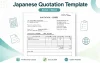
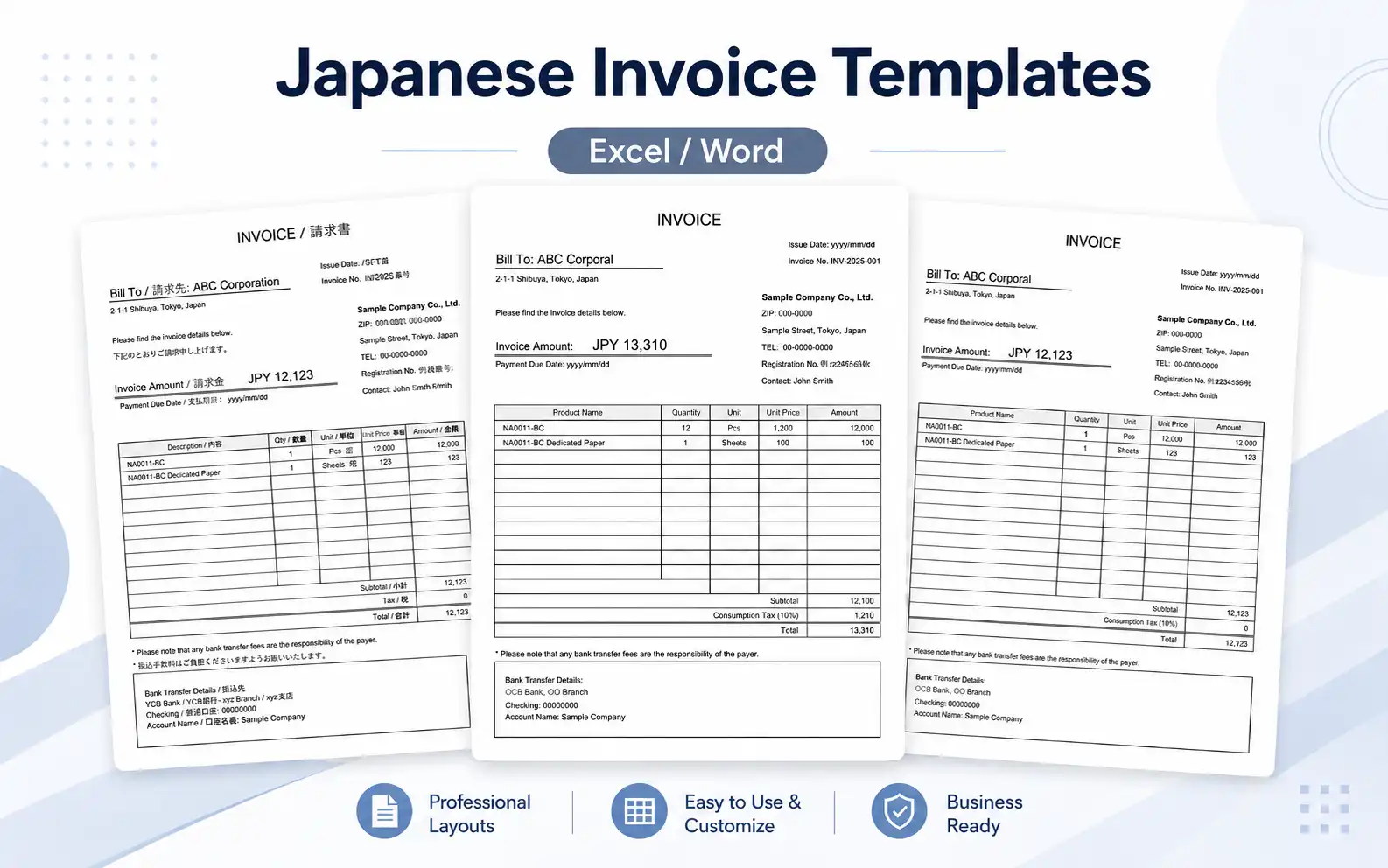
Download free Japanese invoice templates in Excel and Word. These templates are designed for overseas companies, freelancers, and staff who need to prepare an invoice for business with a Japanese company.
The templates use a clean Japanese-style layout, but the main labels are written in English. A bilingual English-Japanese version is also included, so the document can be easier for Japanese accounting staff to check.
When working with Japanese companies, the invoice format can matter more than expected. The person who receives the invoice may pass it to accounting, then to a manager, and sometimes it is printed and filed. A tidy format saves a surprising amount of back-and-forth.
Free Japanese Invoice Templates
Choose the invoice template that fits your transaction. All templates are free to download. Most templates are available in both Excel and Word, while the automatic tax calculation version is provided in Excel format.
Japanese Invoice Template 01
Basic invoice with optional tax field
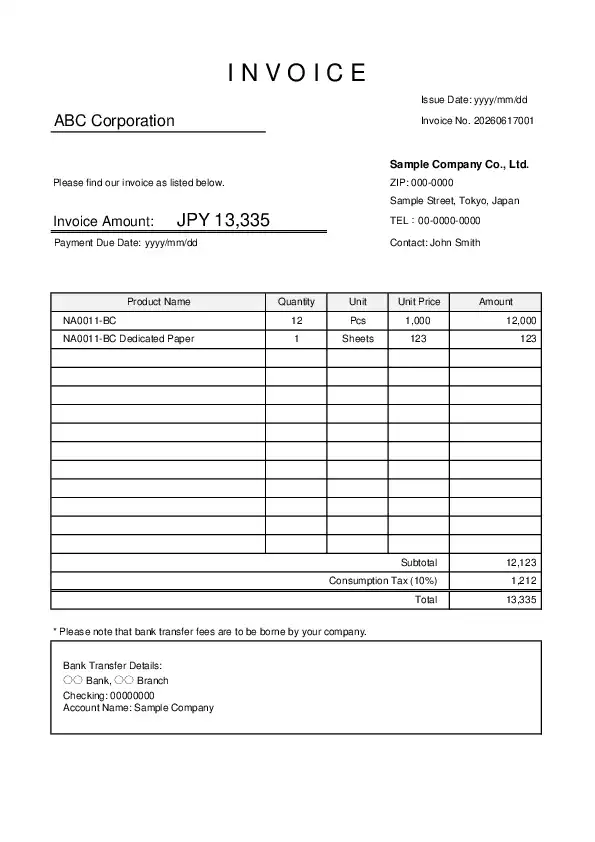
This is a simple Japanese-style invoice template. It includes a tax field, but the tax amount is not automatically calculated. Use this version when the tax treatment depends on the transaction or when you want to enter “N/A”, “0”, or a specific tax amount manually.
Japanese Invoice Template 02 with Consumption Tax
Excel invoice template with automatic 10% consumption tax calculation
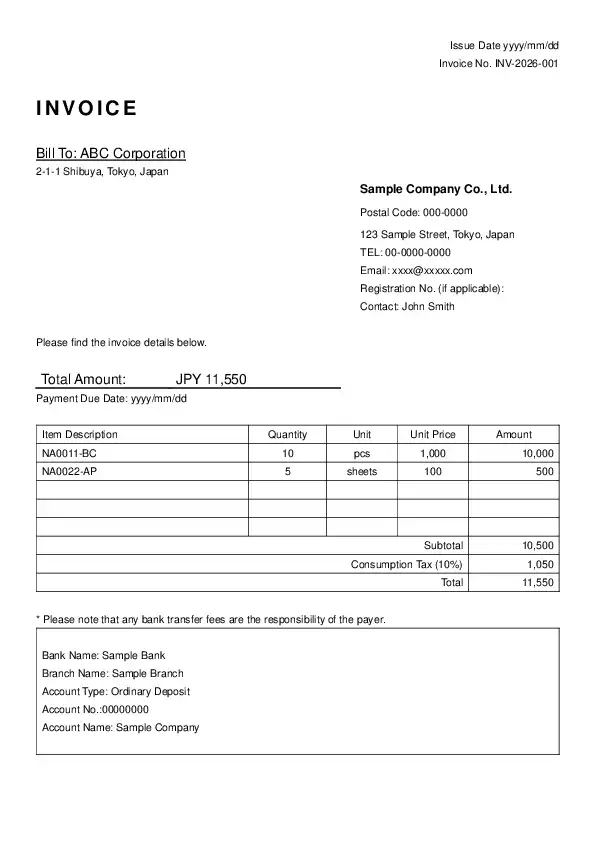
This Excel template automatically calculates 10% consumption tax. It is useful when the transaction is subject to Japanese consumption tax and you need to show subtotal, tax, and total amount clearly.
Bilingual Japanese Invoice Template 03
English-Japanese invoice with optional tax field

This bilingual version includes both English and Japanese labels, such as “Issue Date / 発行日” and “Total Amount / 合計金額”. It is useful for both English-speaking staff and Japanese accounting teams.
What Is a Japanese Invoice?
A Japanese invoice is a billing document used to request payment for goods or services. The basic purpose is the same as invoices used in other countries, but the layout is often more structured.
Japanese companies usually prefer invoices that are easy to read, easy to print, and easy to file. The invoice number, issue date, payment due date, total amount, and bank transfer information should be easy to find at a glance.
This sounds like a small thing, but in practice it helps. Near the end of the month, accounting teams may process many invoices at once. If the due date or bank account details are hard to find, the invoice may come back with a short email asking for confirmation.
If you need a Japanese-language format, you can also see our Japanese invoice templates.
Which Template Should You Use?
If you are not sure which template to choose, start with Template 01.
| Template | Best for | Tax field |
|---|---|---|
| Japanese Invoice Template 01 | General use and cross-border transactions | Manual / optional |
| Japanese Invoice Template 02 with Consumption Tax | Transactions where Japanese consumption tax should be shown | Excel only / automatic 10% calculation |
| Bilingual Japanese Invoice Template 03 | Invoices checked by both English and Japanese readers | Manual / optional |
For overseas companies, Template 01 is often the safest starting point. It includes a tax field, but it does not force a 10% tax calculation. You can enter “N/A” or “0” when tax does not apply, or enter a tax amount manually when needed.
Template 02 is more specific. It is provided in Excel format because the main purpose of this version is automatic 10% consumption tax calculation. Use it only when you want to show Japanese consumption tax at 10%.
Template 03 is useful when the person creating the invoice is overseas, but the person checking it is in Japan. The bilingual labels make the document feel more familiar on both sides.
About Consumption Tax on Japanese Invoices
Japanese consumption tax does not apply to every international transaction. Whether tax should be shown depends on the transaction, the place of supply, the type of goods or services, and the status of the business.
For that reason, the basic template does not automatically calculate tax. This is by design.
If you are not sure about the tax treatment, it is better to enter “N/A” or confirm with the Japanese client before issuing the invoice. Adding 10% tax automatically may look convenient, but it can create confusion when the transaction is not subject to Japanese consumption tax.
For transactions related to Japan’s invoice system, a qualified invoice issuer registration number may also be required. If your business is not registered as a qualified invoice issuer in Japan, leave the registration number field blank.
Common Items in a Japanese Invoice
A standard Japanese invoice usually includes the following items:
- Invoice number
- Issue date
- Client name
- Issuer information
- Description of goods or services
- Quantity
- Unit price
- Amount
- Subtotal
- Tax amount, if applicable
- Total amount
- Payment due date
- Bank transfer details
- Notes
In Japan, bank transfer is still very common for business payments. It is a good idea to include the bank name, branch name, account type, account number, and account holder name clearly.
One small but common mistake is entering the account holder name too casually. Japanese banks can be strict about names, especially when kana or registered account names are involved. If your client asks for the exact bank details again, this is often the reason.
Japanese Business Customs to Keep in Mind
Many Japanese companies work with monthly closing schedules. For example, invoices may be closed at the end of the month and paid at the end of the following month. The exact rule depends on the company, so it is better to confirm the payment terms before sending the invoice.
Another point is document appearance. A Japanese invoice does not need to be fancy. In fact, a simple and neat layout is usually better. Accounting staff want to find the amount, due date, and payment information quickly.
In practice, it is better to avoid making the invoice too colorful or design-heavy. It may look nice on screen, but it can become harder to read when printed or saved as a PDF.
How to Use the Template
- Download the Excel or Word file. For Template 02, download the Excel file.
- Enter your company information.
- Add the client name and invoice details.
- Fill in the item description, quantity, unit price, and amount.
- Check the subtotal, tax field, and total amount.
- Add the payment due date and bank transfer information.
- Save the file as PDF before sending it to the client.
Before sending the invoice, check the total amount, payment due date, and bank account details one more time. These details are the most common source of delays.
English-Japanese Labels Used in the Bilingual Template
The bilingual template uses short English and Japanese labels so the layout does not become too crowded.
| English | Japanese |
|---|---|
| Invoice No. | 請求書番号 |
| Issue Date | 発行日 |
| Due Date | 支払期限 |
| Bill To | 請求先 |
| From | 発行者 |
| Description | 内容 |
| Qty | 数量 |
| Unit Price | 単価 |
| Amount | 金額 |
| Subtotal | 小計 |
| Tax | 税額 |
| Total Amount | 合計金額 |
| Payment Information | 支払情報 |
| Notes | 備考 |
For longer sentences, the template places the Japanese text under the English sentence instead of putting both languages on the same line. This keeps the document easier to read.
Notes About Bank Transfer Fees
Japanese invoices often include a short note about bank transfer fees. For example:
Please note that any bank transfer fees are the responsibility of the payer.
In the bilingual version, this can be written as:
Please note that any bank transfer fees are the responsibility of the payer.
振込手数料はご負担くださいますようお願いいたします。
This wording is polite and flexible. It works better than saying “your company” in a general template, because some users may send invoices to individuals, sole proprietors, or different types of organizations.
FAQ
Can I use this invoice template for a Japanese company?
Yes. These templates are designed for invoices sent to Japanese companies. They use a clean Japanese-style layout with English labels, so overseas users can edit them easily.
Should I use the tax optional version or the 10% tax version?
If you are not sure whether Japanese consumption tax applies, use the tax optional version. The 10% tax version is suitable when you clearly need to show Japanese consumption tax, and it is provided as an Excel file for automatic calculation.
What does Registration No. mean?
In this template, “Registration No.” refers to the Japanese qualified invoice issuer registration number. If your business is not registered as a qualified invoice issuer in Japan, leave this field blank.
Can I send the invoice as a PDF?
Yes. After editing the Excel or Word file, it is usually better to export it as a PDF before sending it. This helps prevent layout changes and makes the invoice easier to file.
Can I edit the bilingual Japanese text?
Yes. You can edit or remove the Japanese text if it is not needed. The English labels are the main labels, and the Japanese labels are included as support for Japanese readers.
Related Resources
If you need more detailed information about Japanese consumption tax, invoice rules, or business customs, the following English resources may be helpful.
- National Tax Agency: Outline of the Invoice System
- JETRO: Setting Up Business in Japan
- JETRO: Communicating with Japanese in Business
- Japan Intercultural Consulting: Japanese Business Etiquette Guide
Summary
These Japanese invoice templates are useful when you need a simple, clean invoice for business with a Japanese company.
For most overseas users, Template 01 is the easiest starting point. It has a Japanese-style structure, but the tax field is optional, so it does not force a tax treatment that may not apply.
If you need to show 10% Japanese consumption tax with automatic calculation, use Template 02 in Excel. If both English and Japanese readers will check the document, Template 03 is the most practical choice.